


Home networks get messy fast once you mix streaming, video calls, gaming, and a few too many connected devices. This roundup focuses on N Routers that still make sense for everyday households, guest rooms, travel bags, and older setups that need something practical instead of flashy. You’ll see modern Wi-Fi 6 choices next to simpler Wireless-N models, so you can match the router to your space without overbuying. The right pick can feel like clearing a crowded hallway, suddenly everything moves with less friction.
Quick Look At The Shortlist

NETGEAR WiFi 6 Router R6700AX, AX1800, 1,500 sq. ft.

GlocalMe Numen Air 5G Mobile Hotspot, 200+ Countries
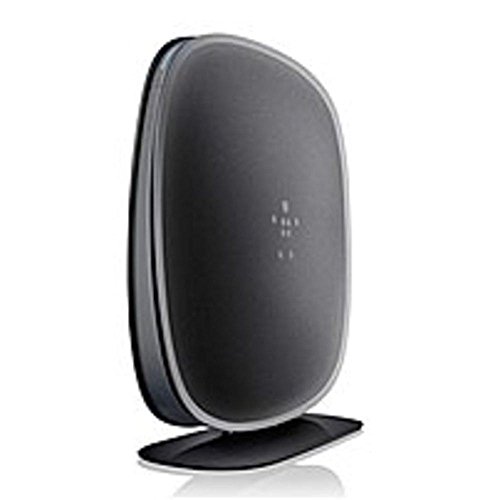
Belkin N450 Wireless Dual-Band N+ Router

Belkin N300 Wireless N Router F9K1002

Cisco-Linksys E1000 Wireless-N Router

ASUS RT-AX1800S Dual Band WiFi 6 Extendable Router

Mercusys MW302R 300 Mbps Wireless N Router

TP-Link Roam 6 AX1500 Portable Wi-Fi 6 Travel Router TL-WR1512X
More Details On Our Top Picks
NETGEAR’s R6700AX fits the household that wants a calmer, less crowded connection without jumping into a giant mesh setup. The AX1800 class means Wi-Fi 6, which is the newer wireless standard that handles multiple devices more gracefully than older N models, especially in a home full of phones and laptops.
The stated 1,500 sq. ft. coverage and 20-device support make it a sensible match for apartments, townhomes, and smaller family spaces. The trade-off is plain, it’s router only, so anyone who needs a bigger footprint or more advanced coverage plans may want to look higher up the list.
Strong Points
- Wi-Fi 6 support helps busy homes keep several devices moving without the usual pileup.
- The 1,500 sq. ft. coverage claim suits smaller homes and open apartments well.
- Support for 20 devices fits a normal mix of phones, tablets, and laptops.
- The router-only design keeps the setup straightforward for people replacing one box at a time.
Things To Consider
- Router-only packaging means you need the rest of your internet gear already in place.
- Homes with thick walls or several floors may need a stronger coverage plan.
- The feature set is practical, not flashy, so power users may want more control.
Feature Snapshot
Who It Suits Best
You’ll get the most from this router in a small to medium home with ordinary streaming, schoolwork, and work-from-home use.
Where A Sibling Pick Shines
ASUS RT-AX1800S fits you better if you want more built-in security tools and mesh expansion later.
This one leaves the home-desk idea behind and focuses on portable connectivity for trips, temporary workspaces, and cross-border travel. No SIM card requirement keeps the setup lighter, which matters most when you want data access without swapping tiny cards in a hotel room.
Support for 16 connected devices makes it useful for a family trip or a small travel group, though pocket hotspots always ask you to think about battery care and plan management. Compared with the NETGEAR R6700AX, it’s less about whole-home stability and more about taking your own network with you.
What We Like
- Travel coverage across 200 plus countries makes it a strong companion for frequent trips.
- The claimed 2.5 Gbps top speed points to serious headroom for a portable unit.
- No SIM card requirement removes one more setup step before you get online.
- Support for 16 devices helps a group share one connection without immediate strain.
- The pocket-sized format suits carry-ons, day bags, and road-trip kits.
Areas To Watch
- Travel hotspots depend on network availability in each location, so local conditions still matter.
- You’ll want to think about charging access during long travel days.
- Heavy streaming across several devices can drain a portable setup faster than a home router.
- The travel-first design does not replace a strong home broadband router.
Core Details
Right Fit For
You’ll like this best for travel days, temporary stays, and work trips that need a dependable pocket connection.
Swap It Out When
TP-Link Roam 6 AX1500 is the better match for hotel stays and RV travel where Wi-Fi 6 travel-router features matter more than cellular service.
The Belkin N450 sits in a familiar middle ground, older than the Wi-Fi 6 picks but still shaped for straightforward dual-band home use. Dual-band means it can split traffic across two wireless ranges, which helps everyday browsing feel less crowded in a shared house.
That older-generation angle matters. You get a more traditional setup than the ASUS RT-AX1800S or NETGEAR R6700AX, so it suits a simpler network more than a gadget-heavy home with lots of streaming pressure.
Highlights
- Dual-band support gives you a cleaner way to separate routine tasks from heavier traffic.
- The straightforward home-router shape suits rooms that need a simple central connection.
- It works well as a basic replacement for aging internet hardware.
- The familiar layout can make setup easier for nontechnical households.
Worth Noting
- Older wireless design means it will not match newer Wi-Fi 6 routers for crowded-device handling.
- You may find better long-term flexibility in a more recent model.
- Large homes with dead zones will probably want a stronger mesh-ready option.
Details At A Glance
Made For
You’re the right fit here if you want a plain, dependable router for a smaller household or spare-room setup.
A Better Fit Elsewhere
Belkin N300 Wireless N Router F9K1002 makes more sense if you want a simpler, lower-complexity option for light daily use.
The N300 is the sort of router that makes sense for a second space, a starter apartment, or a light-use household that just wants the network to behave. MultiBeam is Belkin’s signal-shaping approach, and the point is simple, it aims to push coverage more evenly through the home rather than concentrating everything near the box.
The three-step setup also matters because simpler installation saves real time on moving day or during a quick swap. Compared with the N450 above, this model trims the feature list, so it’s easier to live with but less suited to busier networks.
Bright Spots
- MultiBeam technology helps spread the signal through the home in a more even way.
- Three-step setup keeps the install process approachable.
- Preset security gives you a cleaner starting point for a new network.
- 300 Mbps class performance suits casual browsing, email, and light streaming.
Softer Spots
- The feature list is intentionally simple, so advanced controls are limited.
- Older N-class performance will feel modest next to Wi-Fi 6 options.
- Busy homes with many users may outgrow it quickly.
Quick Facts
Whose Shelf It Belongs On
You’ll appreciate this most in a small home or secondary space where ease matters more than advanced tuning.
Another Choice May Suit
Mercusys MW302R is the better match if you want multiple operating modes and parental controls in one modest package.
The E1000 leans into plain home networking, and that simplicity is exactly why it still makes sense for certain spaces. Four Fast Ethernet ports give you the option to wire in a desktop, printer, or streaming box, which is handy in a home office where not everything needs to be wireless.
The Wireless-N design and 300 Mbps transfer speed are enough for basic connectivity, but they sit well below the newer AX picks in this list. You may find it useful as a no-fuss router for older gear, though larger households will probably want more headroom.
Best Bits
- Four wired ports give you flexible ways to connect stationary devices.
- The Wireless-N design suits legacy equipment that still lives on at home.
- 300 Mbps transfer speed is enough for routine browsing and light office work.
- The compact networking approach keeps the setup straightforward.
Points To Note
- Older network hardware means it trails modern Wi-Fi 6 routers on device handling.
- The feature set is basic, so you should expect a simple ownership experience.
- Busy streaming households may want a newer option with more headroom.
Technical Sheet
Perfect Match For
You’re a good fit for this model if you want wired flexibility in a smaller household or older network setup.
Look Elsewhere When
NETGEAR R6700AX makes more sense for families that want better handling for several current devices at once.
ASUS packs a lot into the RT-AX1800S, and that makes it a strong fit for homes with many connected devices. Wi-Fi 6 helps keep traffic smoother, while built-in VPN support, parental controls, and subscription-free security tools give you more control without layering on recurring extras.
AiMesh compatibility matters too, because it opens the door to expanding coverage with other ASUS mesh gear later. The trade-off is that this router asks a little more from your setup knowledge than the simpler Belkin models, so it rewards people who want more control.
Upsides
- Wi-Fi 6 support is a smart fit for homes with several active devices.
- Built-in VPN support gives privacy-minded households a useful option.
- Parental controls help you shape access without extra hardware.
- AiMesh compatibility leaves room for future network expansion.
- Subscription-free security tools keep the feature set less cluttered.
Room For Improvement
- The richer feature set can feel more involved than a basic router swap.
- People who only need simple browsing may not use every tool here.
Feature Rundown
Built With In Mind
You’ll get the best fit here in a device-heavy home where control, expansion, and security tools matter.
Where A Sibling Pick Shines
Belkin N300 Wireless N Router F9K1002 suits you better if you want a simpler setup for a smaller space.
The MW302R takes a flexible path, because its four modes let it act as a router, access point, range extender, or WISP unit. WISP means wireless internet service provider mode, which matters in more unusual setups where you need the device to adapt to the network already in place.
High-gain external antennas help push signal farther, so it suits apartments or small homes where coverage needs a bit of help. Compared with the Belkin N300, it brings more operating modes, though the overall speed class still keeps it in the modest everyday lane.
Reasons To Buy
- Four operating modes make the router more adaptable than a plain single-use box.
- Parental controls are handy for households that want simple access management.
- High-gain external antennas can improve reach in tougher corners of the home.
- The mobile app setup path should feel approachable for casual installers.
Small Caveats
- 300 Mbps class performance suits lighter use more than heavy multitasking.
- External antennas take up a little more space on a shelf or desk.
- The return instructions in the source data are unrelated to network use, so they do not shape the ownership experience.
Feature Card
The Right Fit
This suits you well if you want one affordable device that can adapt across a few different home network jobs.
Skip It When
TP-Link Roam 6 AX1500 is the better choice for travel use, hotel stays, and mobile public-Wi-Fi sharing.
TP-Link built the Roam 6 for travel scenarios first, so its value shows up in hotels, RVs, and shared public networks rather than fixed home installs. Wi-Fi 6 support and dual-band operation give you a more modern portable setup than older travel gear, which helps when you need smoother sharing from one spot.
The USB-C 3.0 port is a practical touch for power and compatibility, and multi-mode support adds flexibility for different stopovers. OpenVPN and WireGuard support also matter for people who want more advanced connection options, though the device still stays in a travel-router lane instead of replacing a full home system.
Standout Traits
- Portable design makes it easy to pack for trips and short stays.
- Dual-band Wi-Fi 6 support gives you a fresher travel networking option.
- Public Wi-Fi sharing is useful in hotels and shared spaces.
- USB-C 3.0 keeps power and connection handling modern.
- OpenVPN and WireGuard support add flexibility for advanced use.
Honest Caveats
- Travel routers are best for temporary setups, not full-home coverage.
- Shared Wi-Fi environments can still depend on the quality of the upstream connection.
- The feature set is more useful for travel than for a fixed desktop network.
Core Details
The Right Fit
You’ll get the most from this if your network needs center on travel, temporary lodging, or sharing one connection in a small group.
Reach For A Different Pick When
NETGEAR R6700AX is the better fit for a permanent home setup with more predictable coverage needs.
How To Choose The Right N Routers
Match The Wireless Standard To Your House
Wireless N and Wi-Fi 6 sit in different eras, and that difference shows up in crowded homes. N-class routers, like the Belkin N300 and Cisco-Linksys E1000, suit light browsing and older devices, while Wi-Fi 6 models such as the NETGEAR R6700AX and ASUS RT-AX1800S handle more phones, tablets, and TVs with less strain.
For a small apartment or spare room, an older N router can be enough. In a busier household, the newer standard usually feels smoother because it is built for heavier device traffic.
Think Beyond Speed Numbers
Speed ratings only tell part of the story. Coverage area, device count, band support, and whether the unit is router only or a travel hotspot shape daily use just as much as raw throughput.
The GlocalMe hotspot and TP-Link Roam 6 solve different problems, even though both focus on staying connected away from a fixed desk. One depends on mobile service, while the other manages Wi-Fi access in temporary spaces, so your travel pattern matters more than the headline speed figure.
Look At Setup, Ports, And Expansion
Simple setup matters for people replacing old hardware without wanting a weekend project. Belkin’s three-step setup and Mercusys mobile app setup can help there, while ASUS adds more advanced control for people who enjoy a deeper settings menu.
Wired ports still matter in a home office, especially for desktop PCs, printers, and streaming boxes. The Cisco-Linksys E1000 stands out for that reason, while mesh support on the ASUS RT-AX1800S gives you room to expand later.
Fit The Router To The Way You Live
Travelers need portability, parents often want control tools, and work-from-home households usually care about stability first. That’s why a router can be excellent for one person and a poor match for another.
The cleanest choice is the one that matches your space, your devices, and your patience for setup. A sensible match usually ages better than a flashy spec sheet.
Things Worth Knowing First
Mistakes Worth Dodging
Plenty of shoppers focus only on speed and forget about coverage or device count. That shortcut can leave you with a router that looks fine on paper but feels crowded the moment everyone gets online.
Another common miss is buying a travel hotspot for home use or a fixed router for hotel trips. The form factor matters just as much as the wireless class.
The Upgrade Payoff
Higher-tier models usually cost more because they add Wi-Fi 6, mesh support, security tools, VPN options, or a more travel-friendly design. Those extras are not decoration, they change how the device fits your routine.
Paying up makes sense for busy homes, frequent travelers, and anyone who wants fewer compromises. A simpler N router still works well for light use, so the upgrade only pays off when your day genuinely asks for it.
Frequently Asked Questions
What does Wireless N mean?
Wireless N is an older Wi-Fi standard that still works well for light internet use. It’s common in simpler routers that focus on basic household connectivity.
Does Wi-Fi 6 matter for small homes?
Yes, especially when several devices stay connected at once. In a small home, it can still make streaming and browsing feel less crowded.
What is a travel router used for?
A travel router helps you share or manage internet access in hotels, RVs, and temporary spaces. It gives you a portable network hub instead of relying on one device at a time.
How many antennas or ports matter?
More antennas can help with reach, while Ethernet ports help wired devices stay connected. The right mix depends on whether you use mostly wireless gear or keep a desktop and printer nearby.
Should you pick a router or a hotspot?
A router fits a fixed home or office setup. A hotspot suits travel, temporary stays, and places where you need connection on the move.
Closing Thoughts
The right N router depends less on age of the standard and more on the life you’re trying to support. A simple Belkin can be enough for light use, while ASUS or NETGEAR makes more sense for a house full of devices. Travelers should look hard at the GlocalMe and TP-Link options, because fixed-home gear rarely covers those needs well. Match the tool to the room, the route, and the routine, and the rest gets easier.




