


Bed leveling gear can turn a stubborn first layer into a calmer start to the print, especially for anyone who prints often and wants fewer manual adjustments. This roundup focuses on auto sensors, silicone mount replacements, and one adhesive option, because real setups vary more than product names suggest. You’ll see which picks suit Ender-style machines, which ones lean toward simplicity, and which trade a little convenience for broader compatibility. The goal is a cleaner match between your printer, your patience, and the way you actually use the machine.
The Shortlist At A Glance
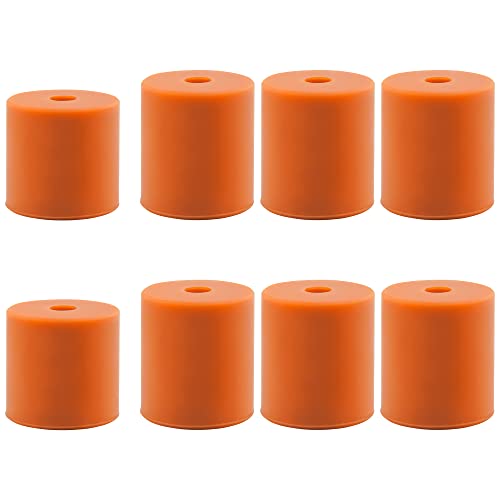
Park Sung Silicone Bed Mounts, 8PCS

Creality CR Touch Auto Leveling Kit

Filament Friday E-Leveler 2
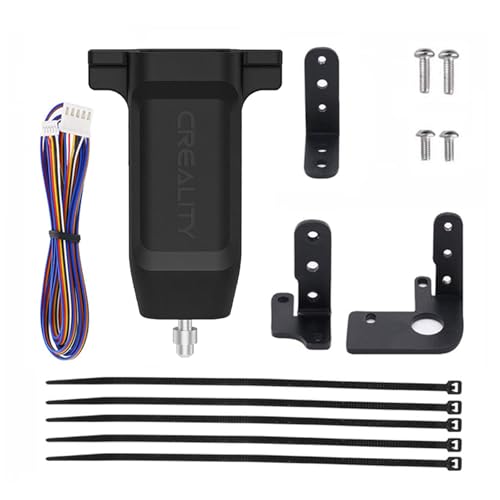
Lutyr Offilial CR Touch Sensor Kit
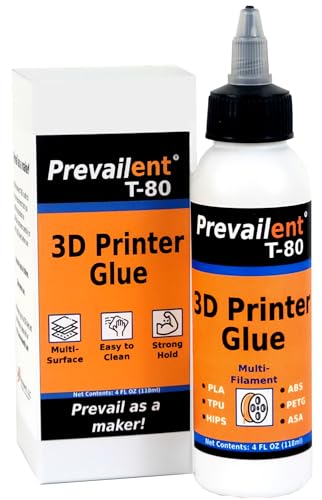
Prevailent T-80 Bed Adhesive

3DMAN 3D Touch Auto Leveling Sensor

TEQStone 3D Touch V3.2 Replacement

QWORK BLTouch V2.0 Sensor Kit

More Details On Our Top Picks
Spring swaps like this suit you when you want fewer little shifts under the heated bed, not a full sensor upgrade. Silicone mounts act like solid spacers, so the bed stays steadier than a loose spring stack, and that usually helps keep adjustments from wandering after repeated prints.
The trade-off is simple, since you give up some easy compression and a bit of fine-tuning range. For a home printer that gets regular use, that steadier feel is often enough, especially on machines where the bed stays close to one setup for long stretches.
What We Like
- Eight pieces cover a full four-corner bed setup with spares on hand.
- Solid-column support helps reduce wobble from spring compression.
- Less squish under the bed can mean fewer repeat adjustments.
- Simple swap keeps the mechanical setup plain and familiar.
- The firm feel suits printers that stay in one place most of the time.
Points To Note
- You lose some of the forgiving adjustment range that springs provide.
- Very uneven frames still need careful manual setup first.
- Owners who change hotend or carriage weight often may prefer a sensor-based route.
Feature Rundown
Who It Suits Best
Manual-leveling hobbyists who want a firmer bed support without adding electronics will get the most from this set.
Where A Sibling Pick Shines
Creality CR Touch Auto Leveling Kit makes more sense for Ender owners who want the printer to probe the bed instead of relying on hardware stability alone.
Creality’s own CR Touch kit is the most direct fit for Ender owners who want a factory-style upgrade path. It’s built around automatic bed probing, which means the printer measures the surface instead of depending only on a hand-tuned bed, and that matters on machines that get moved, serviced, or reworked often.
The main value here is compatibility focus, because the listed fitment covers several Ender and CR-10 variants along with 32-bit V4.2.2 and V4.2.7 mainboards. The honest read is that you still need the right board and a clean install, so this suits a careful setup more than a casual plug-and-play mood.
Strong Points
- Made for a wide spread of Creality machines, especially common Ender frames.
- Automatic probing helps reduce repeat manual leveling work.
- Official brand match can make parts matching easier during a retrofit.
- Pairs well with printers that see frequent nozzle or bed changes.
Worth Noting
- Fit depends on the printer and mainboard version, so double-checking matters.
- Sensor upgrades still need installation time and a few setup steps.
- Owners with older or heavily customized machines may need a different route.
Feature Snapshot
Made For
Ender and CR-10 owners who want a brand-matched automatic probe for a supported board will find this the cleanest starting point.
Another Choice May Suit
Park Sung Silicone Bed Mounts, 8PCS fit better for anyone who wants to improve bed stability without adding a sensor stack or firmware work.
The E-Leveler 2 sits in a useful middle ground for you if automatic probing feels like more than you need. It’s an electronic leveling tool, so it helps you work through bed setup with more structure than a purely visual method, and that can be a relief on printers that never seem to stay dialed in for long.
Compared with the CR Touch kits above, this one leans more toward the tuning process than permanent machine hardware. That makes it handy for careful hobbyists, though the trade-off is that you still take an active role instead of letting the printer handle the whole routine.
Highlights
- Electronics-assisted leveling helps guide the setup process.
- Useful for tuning beds that keep drifting out of alignment.
- More hands-on than a fixed probe, which some hobbyists prefer.
- Can be a good teaching tool for learning the bed surface.
Small Caveats
- You still need to manage the leveling process yourself.
- Not as automated as a mounted probe system.
- Hands-on use may feel slower than a true sensor retrofit.
Core Details
Right Fit For
Careful tinkerers who want a guided leveling aid rather than a permanently mounted probe will get the most from this tool.
Swap It Out When
Creality CR Touch Auto Leveling Kit is the better match for anyone who wants automatic probing built into an Ender-style machine.
This kit follows the same general path as the Creality option, but the broad compatibility list gives it a more flexible feel for mixed Ender and CR-10 setups. For a garage printer that gets moved between tables or a machine that changes nozzles often, an automatic sensor can save you from repeating the same first-layer routine.
The catch is that a compatibility-first bundle still depends on the rest of your hardware lining up cleanly. You’ll want to check the mainboard version and mount space carefully, because the right sensor only helps once the rest of the setup is cooperating.
Reasons To Buy
- Supports several common Ender and CR-10 printer families.
- Automatic leveling can reduce routine setup work.
- Good fit for owners who swap parts and re-tune often.
- Helps keep first-layer prep more repeatable across sessions.
Room For Improvement
- You still need to confirm board compatibility before installation.
- More moving parts in the setup means more things to align.
- Users seeking a simpler mechanical fix may prefer silicone mounts.
Technical Sheet
Best Suited To
Owners of supported Creality machines who want a broad-fit sensor kit without paying for a full printer overhaul will appreciate this option.
Look Elsewhere When
Park Sung Silicone Bed Mounts, 8PCS make more sense for a printer that only needs steadier bed support and no electronic probing.
Not every leveling problem is hardware shaped, and this adhesive is the clearest example in the roundup. You’re looking at a surface aid for the build plate, so it helps parts hold better during a print and release more cleanly afterward, which matters a lot on mixed-material setups.
Compared with a sensor kit, this is the low-drama route for people who mainly want better first-layer grip on different plate types. The trade-off is that it supports adhesion rather than geometry, so it won’t replace a genuinely uneven bed or a sloppy frame.
Best Bits
- Works across several common filament families, including flexible material.
- Useful for plates that need a little extra first-layer grip.
- Can help parts release more cleanly after printing.
- Simple upkeep suits busy home workshops and occasional print farms.
- Handy on printers where first-layer adhesion keeps changing by material.
Honest Caveats
- It improves adhesion, not bed alignment.
- Build plates need routine cleaning for best results.
- Some users will still need a leveling sensor for physical bed issues.
Quick Facts
Whose Shelf It Belongs On
Home printers that move between materials and need steadier plate adhesion will get the most practical use from this bottle.
Reach For A Different Pick When
QWORK BLTouch V2.0 Sensor Kit is the better fit for anyone whose main problem is bed shape rather than surface grip.
3DMAN’s sensor kit is aimed at the classic Ender and CR-10 crowd, so it feels familiar to anyone who’s already spent time inside Creality-style frames. Automatic leveling adds convenience, but more importantly it reduces the chance that a small bed shift turns into a frustrating first-layer restart.
Compared with the official Creality kit, this one reads more like a broad retrofit choice than a brand-tied path. That can be handy for modders, though the install still depends on your printer’s bracket space and board compatibility lining up cleanly.
Bright Spots
- Supports several well-known Ender and CR-10 machines.
- Automatic probing helps keep setup work more repeatable.
- Good fit for people who tinker with firmware and hardware.
- Useful on printers that see frequent maintenance or part swaps.
Areas To Watch
- Compatibility checks matter, especially on modified printers.
- Sensor installs can add a little wiring and bracket work.
- Users who want the simplest path may prefer silicone mounts instead.
Core Details
Built With In Mind
Modders who keep a close eye on firmware, mounts, and bracket fit will get the most from this broad-compatibility sensor.
A Better Fit Elsewhere
Creality CR Touch Auto Leveling Kit makes more sense for you if brand-matched fit and a more direct Ender path matter most.
This TEQStone kit stands out because it packages the sensor with four brackets, which makes it easier to fit more than one printer family. For a workshop that keeps both Ender and CR-10 machines around, that extra mounting support matters more than flashy wording on the box.
The listed accuracy claim is tight, but the real appeal here is the breadth of the bundle, not a magic fix for a crooked frame. That makes it a thoughtful upgrade for hands-on users, though a casual printer owner may find the setup bundle a bit more involved than needed.
Upsides
- Four included brackets broaden the retrofit options.
- Works across several Ender and CR-10 style machines.
- Useful for shared workshops with more than one printer model.
- Fine-grained positioning claims suit detail-oriented setup work.
Things To Consider
- More mounting choices can also mean more setup decisions.
- Accuracy claims still depend on a clean installation and matching hardware.
- People who only need one simple retrofit may not use every included bracket.
Feature Card
The Right Fit
Workshop users who juggle several supported printers and want extra mounting options will make the most of this bundle.
Where A Sibling Pick Shines
QWORK BLTouch V2.0 Sensor Kit is the cleaner option for smaller retrofit jobs that benefit from a simpler parts list.
QWORK’s kit looks like a sensible retrofit option for smaller printer builds that need a probe and a cable without extra clutter. The included extension cable matters more than it first sounds, because a tidy cable run can make the installation feel less cramped around the toolhead.
Compared with the TEQStone bundle, this one feels lighter and more straightforward, which helps on compact setups. The trade-off is that you get less installation flexibility, so it works best when your printer already has a clear route for the sensor and wiring.
Standout Traits
- Extension cable helps with reach during installation.
- Compact kit shape suits tighter printer layouts.
- Useful for common Ender-based retrofit projects.
- Less clutter can make cable management easier.
Minor Gripes
- Smaller bundle means fewer mounting options than bracket-heavy kits.
- Fit still depends on your printer’s available space.
- Users with unusual carriage layouts may need a different package.
Details At A Glance
Perfect Match For
Compact printer rigs and cleaner retrofit builds are the sweet spot for this QWORK kit.
Where Shoppers Go Wrong
Geeetech BL-Touch V3.2 Kit suits people who need more bracket and motherboard flexibility than this smaller package offers.
Geeetech makes a strong case for anyone who wants one leveling kit that can stretch across multiple Ender and CR-10 setups. The included four brackets and dual cable lengths give you more room to work, and that matters in real shops where printer spacing is never perfectly uniform.
The built-in self-check behavior adds a useful layer of feedback during startup, so you’re not left guessing whether the sensor woke up correctly. That said, this is still a retrofit kit, not a shortcut around careful mounting, and the extra pieces make it better suited to hands-on users than to casual installers.
Positives
- Four brackets broaden the range of supported setups.
- Two cable lengths help with different printer layouts.
- Works across many Ender 3 and Ender 5 variants.
- Adapter board support covers both 8-bit and 32-bit mainboards.
- Self-test behavior gives helpful startup feedback.
Soft Spots
- More included pieces can mean more installation choices.
- Owners who want the simplest sensor package may prefer a smaller kit.
- Fit still depends on bracket position and printer frame layout.
Spec Overview
Who Will Love This
Multi-printer households and workshop setups with mixed board types will get the most out of this flexible kit.
Skip It When
Park Sung Silicone Bed Mounts, 8PCS make more sense for you if your real problem is a wobbly bed, not a missing probe.
How To Choose The Right 3d Printer Bed Leveling Sensors
Match The Fix To The Actual Problem
Bed support and bed sensing solve different headaches. Silicone mounts, like the Park Sung set, make the bed feel more rigid, while CR Touch or BLTouch kits measure the surface and help the printer compensate for small uneven spots.
That distinction matters because a sensor cannot fully rescue a loose frame, and firmer mounts do not automate leveling. Start with the symptom you notice most, whether that is drifting first layers, a bed that changes after maintenance, or a surface that only needs steadier support.
Check Printer Family And Mainboard Support
Most compatibility problems come from skipping the boring details, not from the sensor itself. Creality-style kits in this list are aimed at specific Ender and CR-10 frames, and some also call out 32-bit board versions, so the control board matters as much as the carriage space.
That’s especially true on older printers or machines with custom mounts. A broad-fit kit can still fail to sit cleanly on your toolhead, so bracket count, cable reach, and adapter support deserve a close look before you settle on a model.
Think About Installation Style And Maintenance
Some setups are a one-time mechanical swap, while others ask for wiring, firmware work, and a little patience. The silicone mounts are the most straightforward physically, the E-Leveler 2 keeps things hands-on, and the sensor kits introduce more parts but also more automation once they’re in place.
For a busy workbench, less fiddling usually beats a fancier feature list. Still, anyone who enjoys tuning a printer may prefer a richer kit with multiple brackets and cable options, because it leaves room to adapt as the machine changes.
Balance Convenience Against Flexibility
Higher-flexibility kits usually cost more because they include extra brackets, different cable lengths, and broader board support. That extra hardware matters most when you run more than one printer, swap frames often, or want a retrofit that survives future changes.
For a single Ender that rarely moves, a simpler sensor package or even silicone bed mounts can be the smarter fit. You pay for flexibility, and that only feels worthwhile when your printer setup is already moving around like the rest of your workshop.
Things Worth Knowing First
Wrong Turns To Avoid
One common miss is buying a sensor kit for a printer that needs a different bracket or controller board. Another is treating adhesive like a leveling fix, because bed glue helps with grip but does nothing for a warped or tilted surface.
Careful shoppers also check cable length and carriage clearance, especially on compact Ender builds. Those small details decide whether a kit feels tidy or turns into a weekend of rerouting.
The Upgrade Payoff
More expensive kits often include extra mounts, longer cables, and support for a wider spread of printer versions. That’s useful in mixed-printer spaces, or for hobbyists who know the machine will change over time and want parts that can move with it.
For a single, stable printer, the upgrade may be harder to justify. The extra spend makes the most sense when compatibility headaches have already cost you time, because the hardware is covering flexibility you actually plan to use.
Frequently Asked Questions
Do you still need to level the bed with an auto sensor?
Yes, the bed still needs a sensible starting setup before the sensor helps. The sensor reduces repetition, but it doesn’t replace a crooked frame or loose hardware.
Are silicone mounts better than springs?
They’re better for rigidity, which helps the bed hold position more consistently. Springs still offer more compression range, so a rough frame may be easier to fine-tune with them.
Will a CR Touch fit every Ender printer?
No, fit depends on the exact model and controller board. The product page compatibility list matters, especially on older or modified machines.
Is a probe kit useful for a printer that rarely moves?
Yes, especially after nozzle changes, maintenance, or plate swaps. A steady machine may need less help, but a probe can still cut down on repeat manual setup.
Does bed adhesive replace a leveling sensor?
No, adhesive helps with part grip and release, not with physical bed alignment. It’s useful for first-layer hold, while a sensor addresses surface variation.
Closing Thoughts
The right leveling setup depends less on buzzwords and more on the printer sitting on your desk. Ender owners who want automation have several solid sensor kits here, while hands-on hobbyists may prefer the E-Leveler 2 or the steadier feel of silicone mounts. Bed adhesive fills a different role, and that makes it useful alongside, not instead of, the right leveling choice. Pick the fix that matches your machine’s real problem, and the first layer usually gets much calmer from there.




